Folio
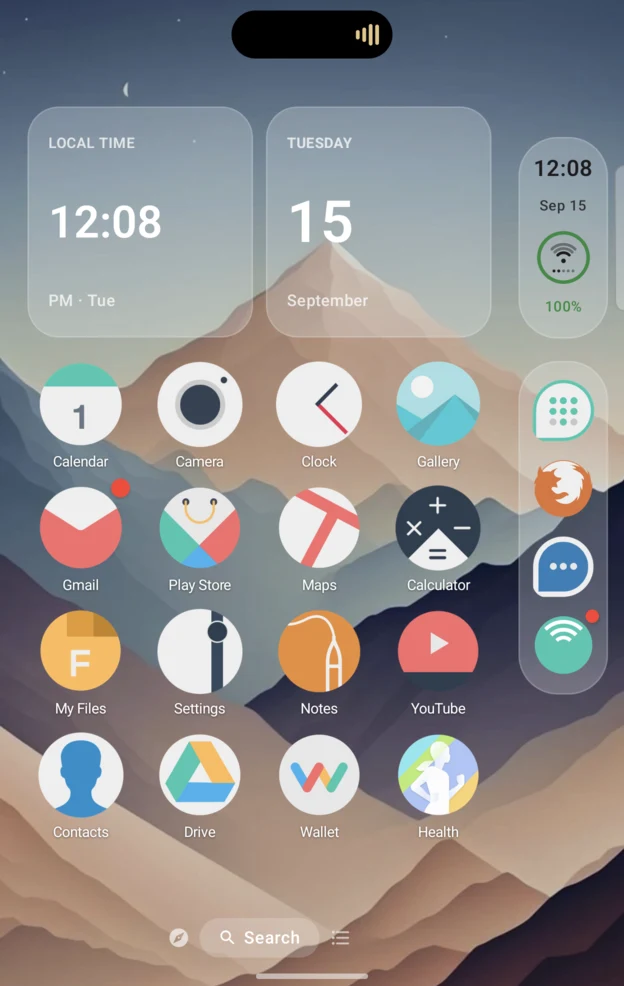
An iPhone-style Home Screen for Android.
Why I made this
Honestly, I started this for fun. I've spent the last few months building an iPhone app, then I got a Galaxy Z Fold8 and got excited by how much Android lets you customize. At the same time I felt a little homesick for Apple, or at least for the jailbreak features I loved. I've been in the iOS jailbreak world since iOS 7 or 8, so this was me getting back into it.
I want to give back to the open-source community, so Folio is free and open source.
Anyone who wants a clean look, likes the Apple style without Apple's restrictions, or just wants their phone to work the way they want. I'm building what I knew I couldn't have on iPhone.
What was hard
- Learning Android. The hardest part was learning how permissions work and how launchers work. I got the hang of it.
- The fold animation. The Fold8 only tells apps 0°, 90° and 180°, so Folio predicts the motion in between and learns how fast you fold.
- One layout for every screen. The cover, the inner screen, portrait, landscape and zoom settings all get the same Folio, laid out by how much room there is rather than by device.
- The iOS feel without root. Dynamic Island, Control Center and the iPhone Duo Side Bar are rebuilt with the permissions any Android app can ask for.
A quick look
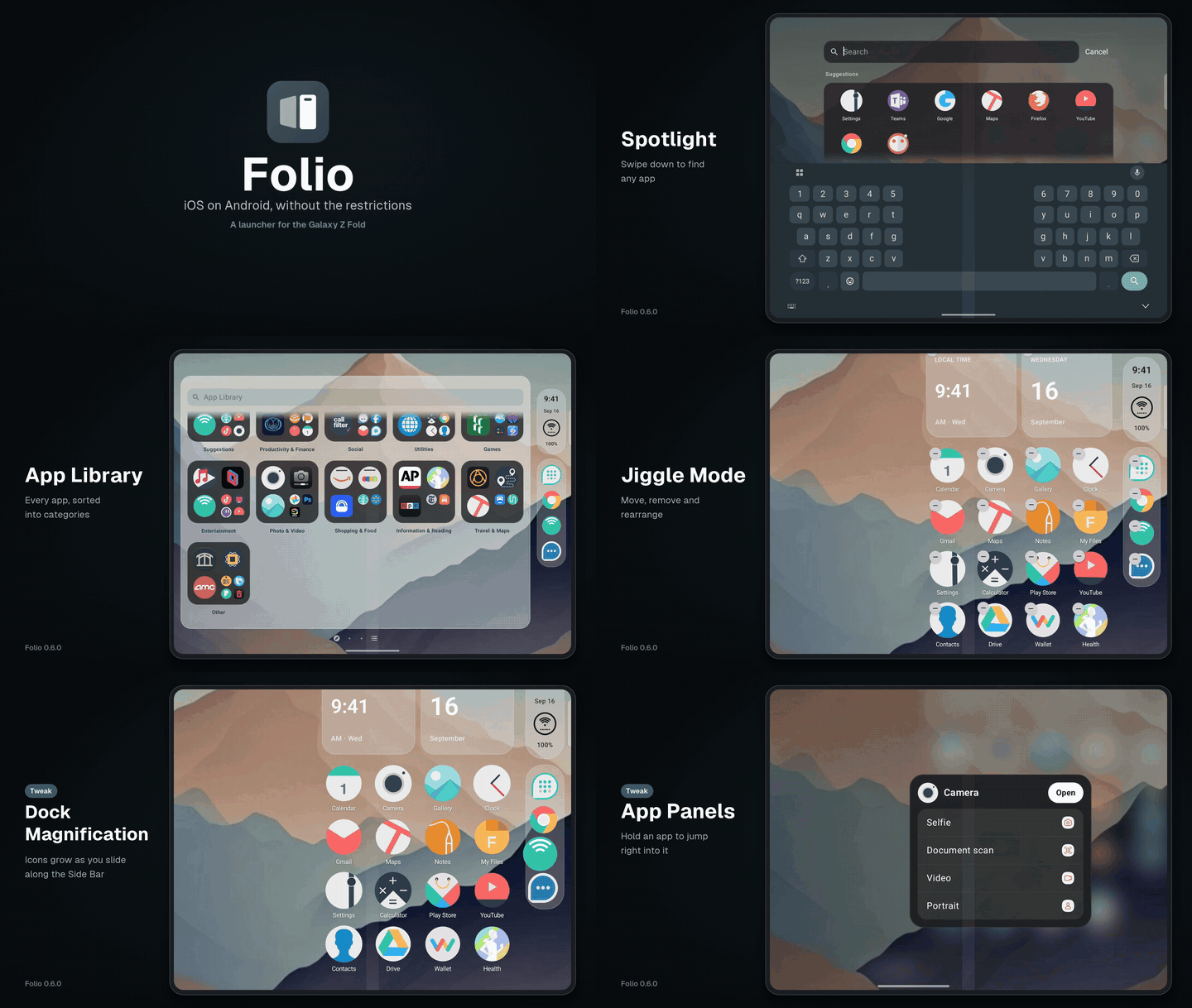
Home, Spotlight, App Library, Control Center, jiggle mode, widgets and tweaks.
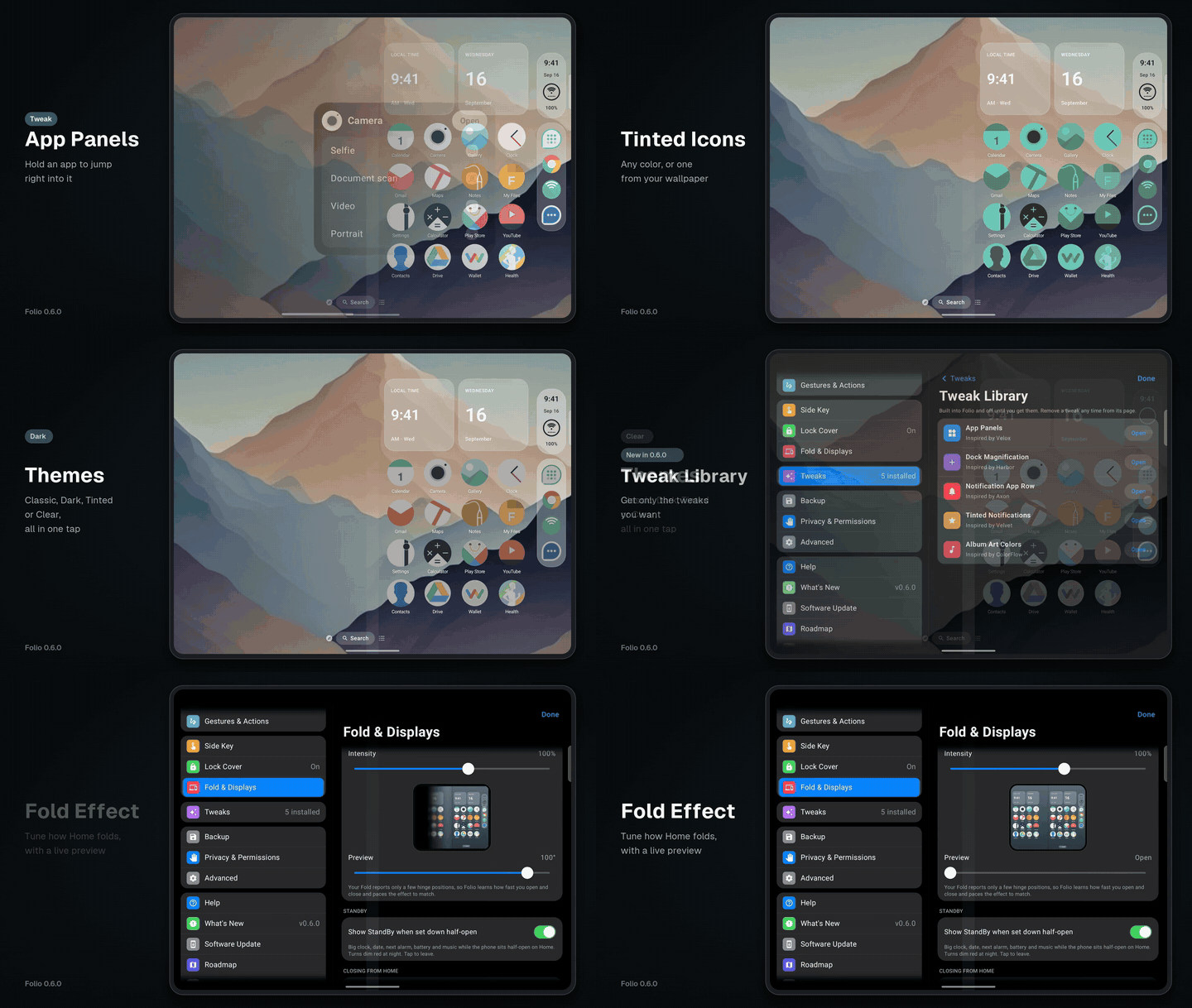
Tinted icons, left-handed mode, themes, the Tweak Library, the Roadmap and the fold effect. Icons: Minimal O by JustNewDesigns.
What it does
- The iPhone Duo Side Bar: the status bar, a Dynamic Island that wraps the camera, and the dock.
- Notification Center, Control Center, Spotlight, Today View, Smart Stacks and the widget gallery.
- Jiggle mode, folders, Icon Stacks and the App Library.
- Tweaks inspired by jailbreak favorites (Velox, Activator, Velvet, Axon, ColorFlow, Harbor), from a Sileo-style Tweak Library.
- Themes you can save and share, tinted icons, badges that match each app, and icon pack support.
- Two Home pages side by side when you open the Fold, and a full Home on the cover screen.
- Updates straight from GitHub, checked against the signing key.
- No accounts, no ads, no analytics, and no root.
Releases
Credits
Anything that came from someone else, or that inspired me, is credited here and in the app.
- DuoLauncher by jakesgoodapps and contributors (MIT): the starting codebase.
- iphone-duo by chuspeeism (MIT): the fold blur and darkening model.
- u/moomanjohnny's iPhone Duo concept on the Galaxy Z Fold8: the inspiration.
- FoldFX by u/FixHour8452: fold transition ideas.
- ZFoldDuo by nnnnnnn0090 (MIT): research on the Fold's hinge angle.
- Minimal O by JustNewDesigns: the icon pack in the screenshots.